SSH Assistant gives you intelligent server management with AI-powered assistance, visual file browsing, and professional WordPress security tools – all in one beautiful Mac app.
Launch price available until September 15, 2025 One-time purchase
Stop Wrestling With Terminal Commands
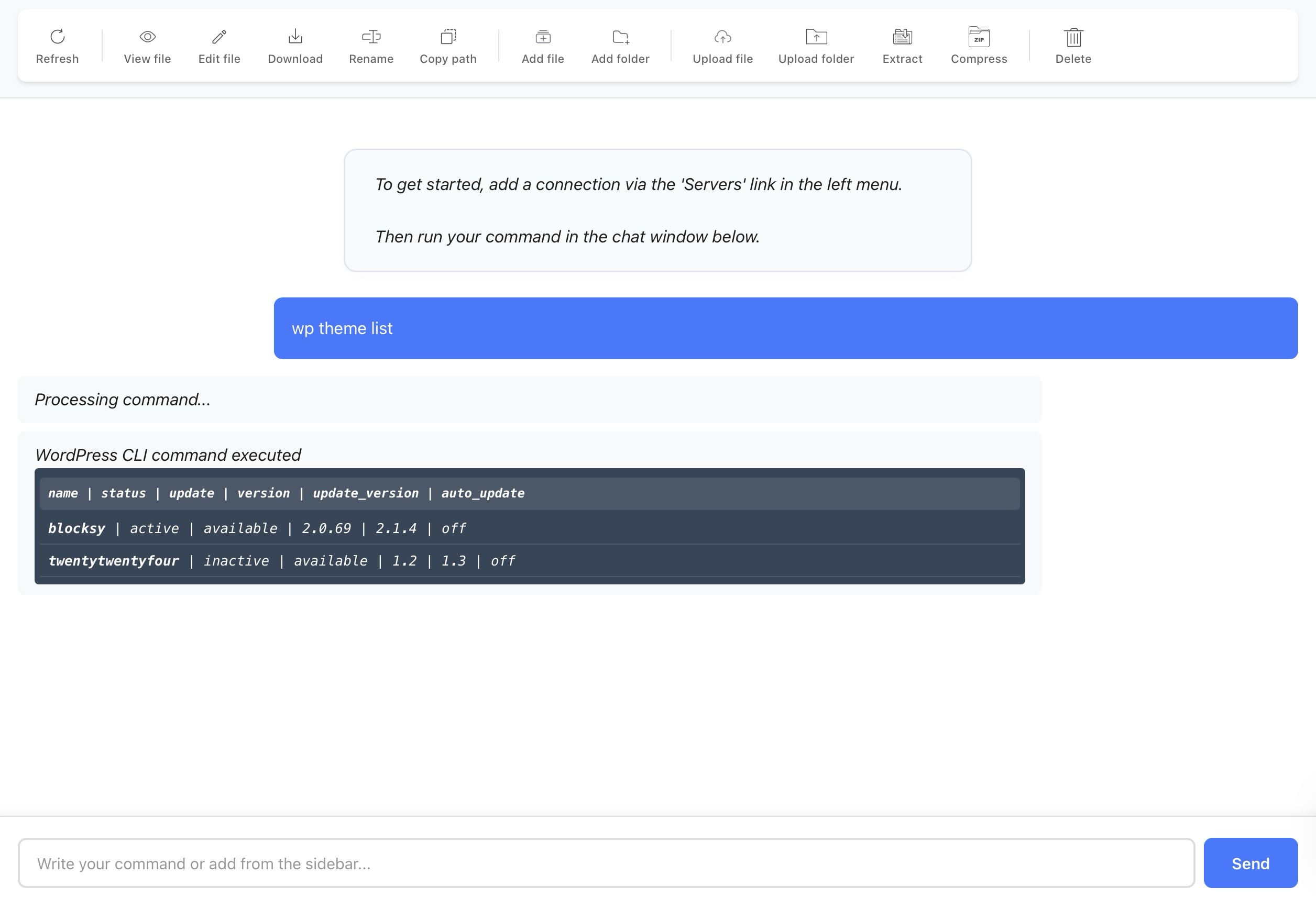
Our Smart Chat Delivers:
Beautifully Formatted Responses – No more ugly terminal text – get clean, readable output with syntax highlighting and organized results
Favorite commands – Save and reuse your most common commands with one click
200+ One-Click Command Library – Click any command to instantly insert it into your command box, from basic file operations to advanced system administration.
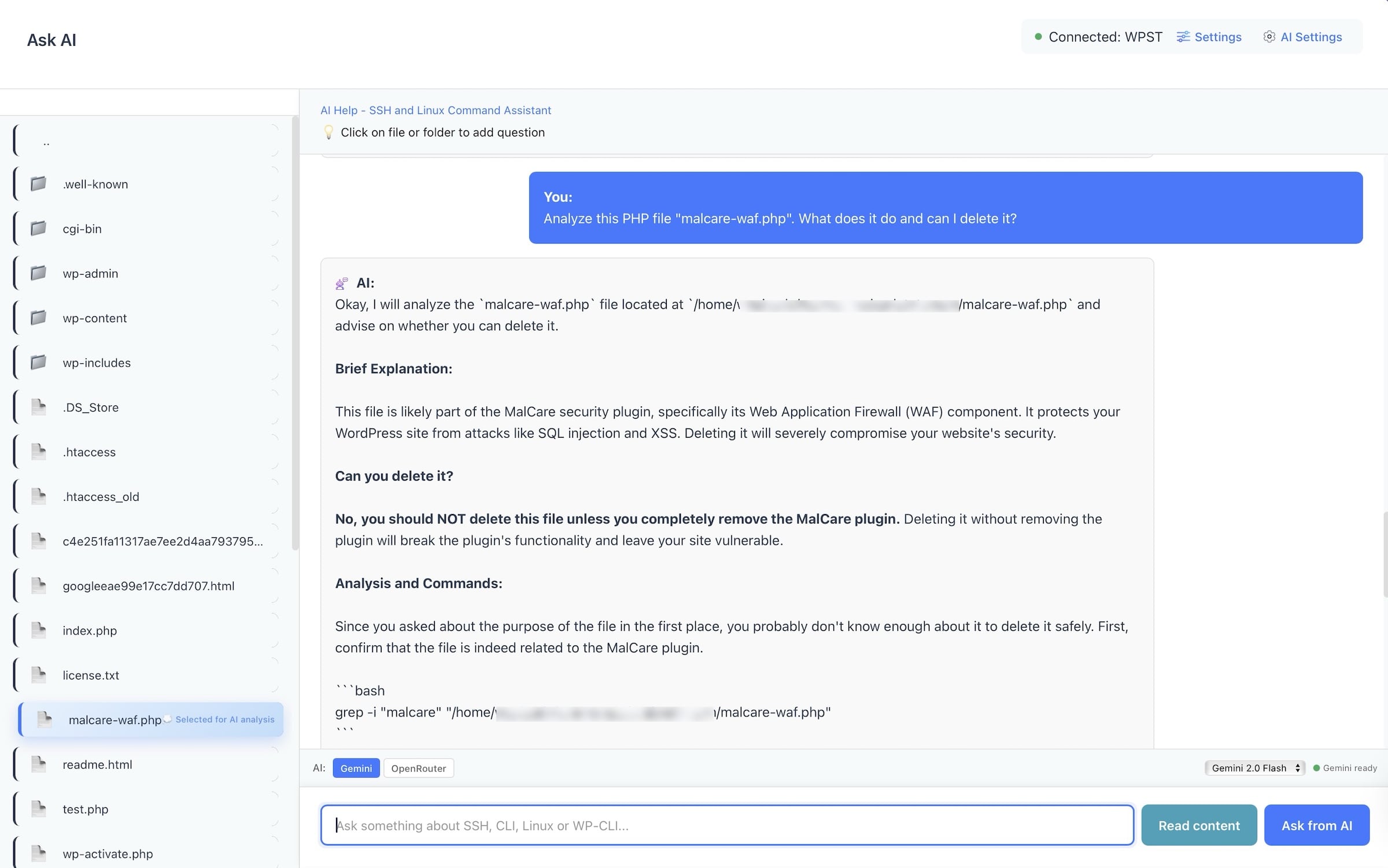
AI-Powered SSH Command Assistant
Never Google “SSH commands” again. Our AI understands what you want to do and generates the exact commands you need, with explanations.
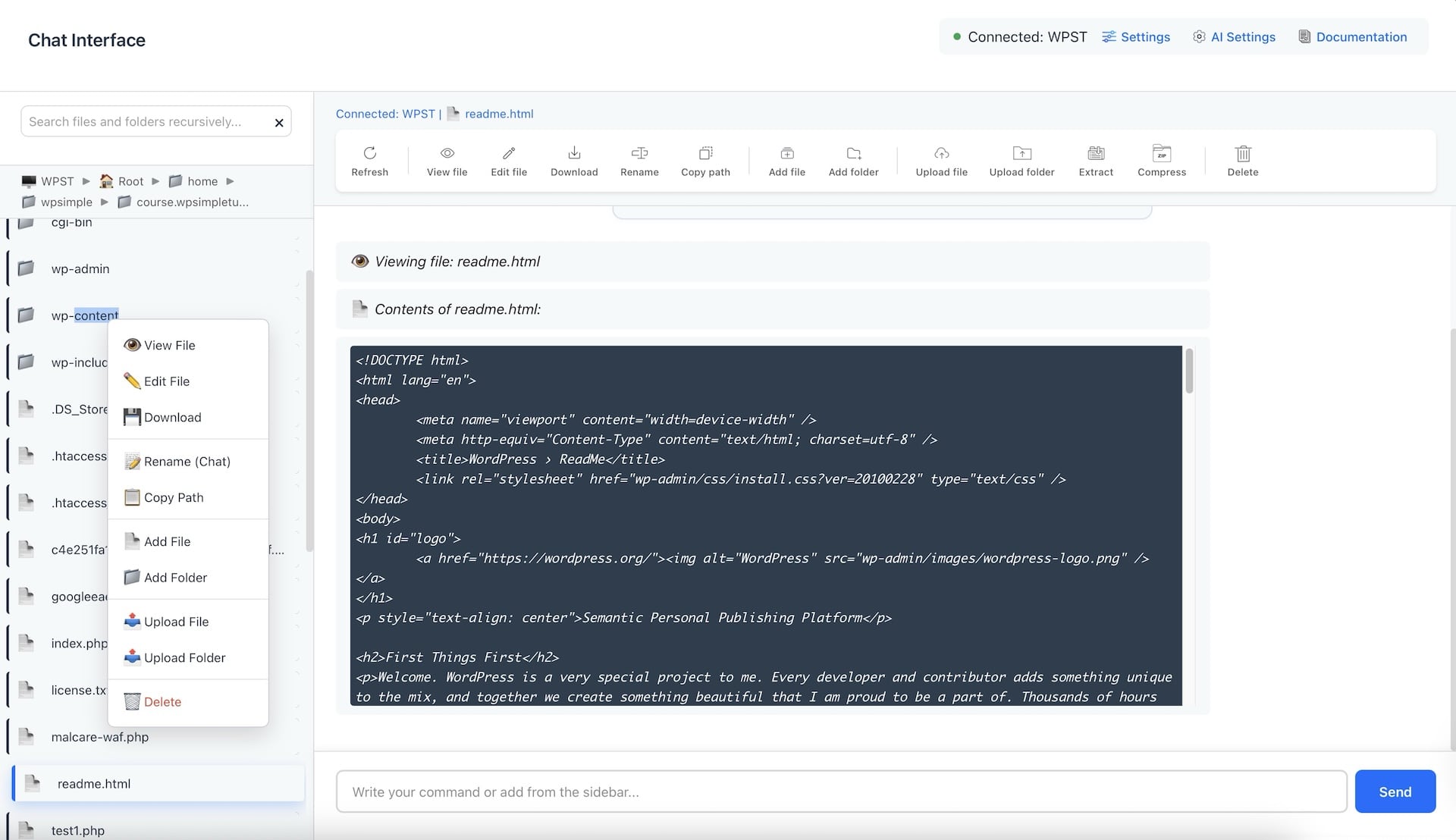
Send file contents to the AI Assistant for analysis
Get advanced commands without years of experience
Command explanations and safety checks
Context-aware suggestions based on your files
Choose between the free Gemini API and the OpenRouter API versions.
Visual File Browser That Actually Works
Forget complex terminal commands. Browse, edit, and manage server files with familiar drag-and-drop operations just like your Mac desktop.
File uploads & downloads
Real-time file editing and deletion
Instant file search across entire server
File extraction and compression
WordPress Management Suite
Execute powerful WordPress operations without learning WP-CLI syntax. Transform complex maintenance into simple button clicks.
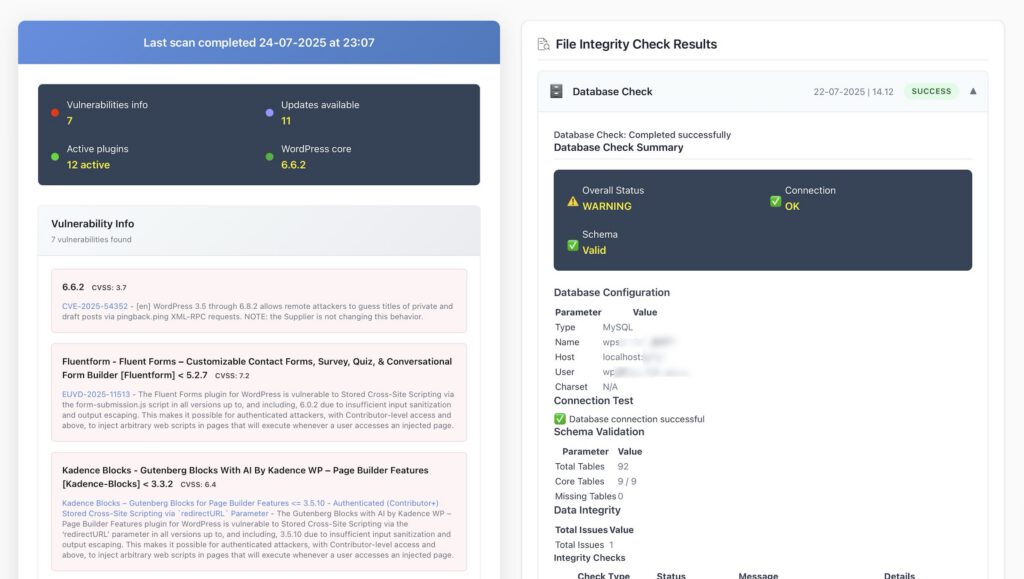
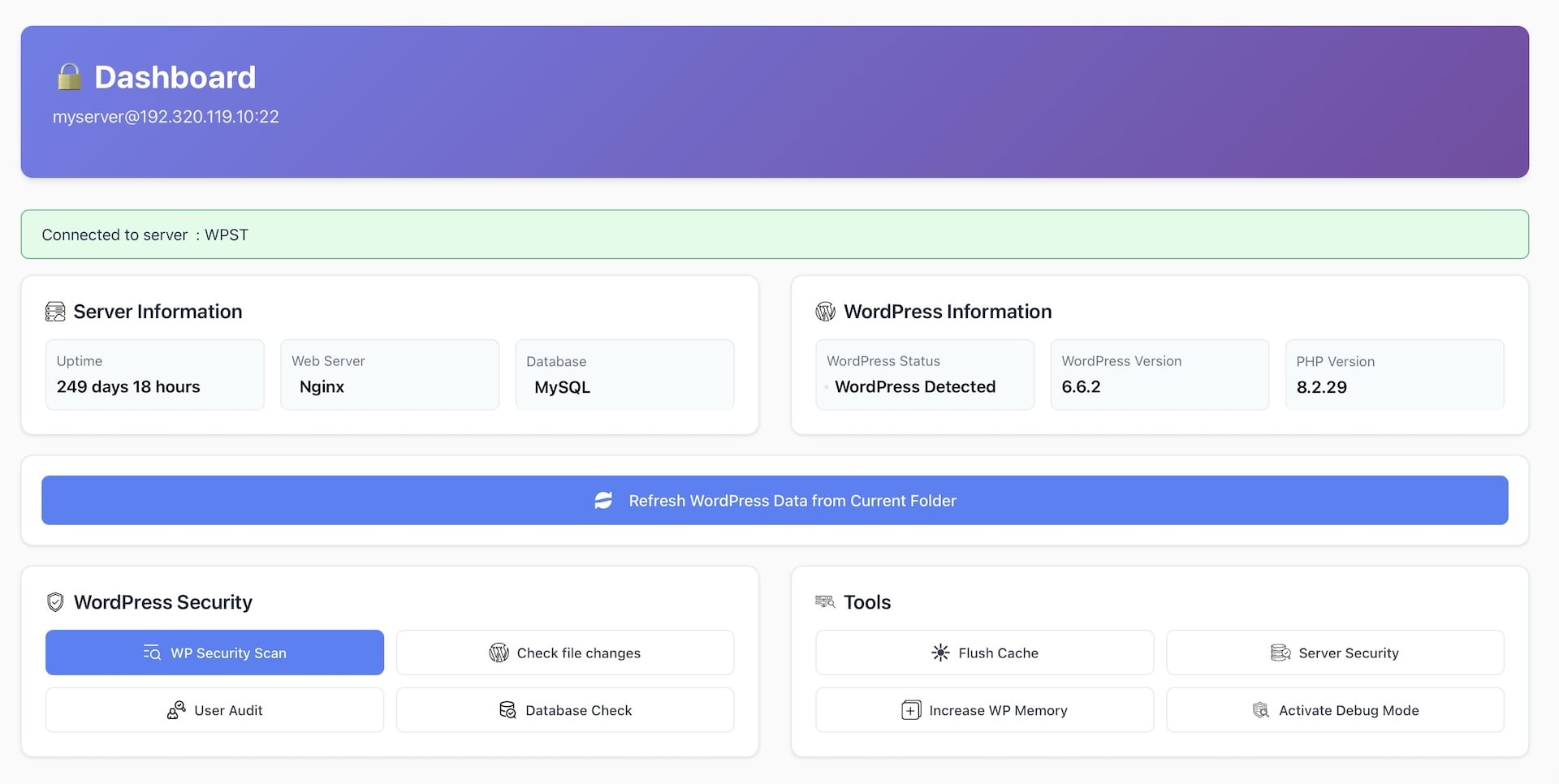
WordPress Vulnerability Scanner
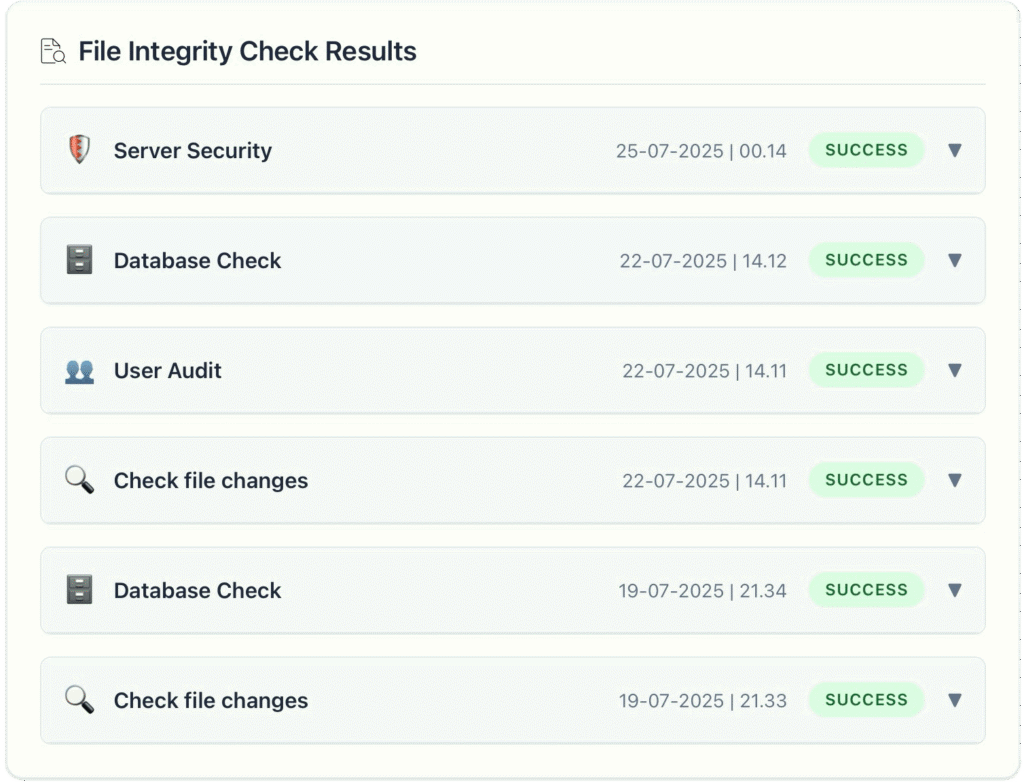
File Change Detector
User Security Audit
Database Security Check
Server Security Checker
Increase WordPress memory
Activate debug mode
Flush cache
Vulnerability Scanner
Scan your WordPress installation for known security vulnerabilities and get instant remediation steps. Detect outdated plugins with security flaws and check WordPRess vulnerabilities
File Change Detector
Monitor critical WordPress files for unauthorized changes and detect potential malware injections instantly. Detect malicious code injection and track wp-config.php modifications
User Security Audit
Comprehensive user account analysis to identify security risks. Detect weak admin passwords and suspicious user accounts.
Database Security Check
Deep database analysis to find security issues, spam content, and optimization opportunities. Scan for malicious database entries.
Server Security Checker
Complete server security audit with an option to increase WordPress memory limits safely. Manage debug mode without breaking sites
Cache management
Instant cache clearing flushing with security-focused optimization to prevent cache poisoning attacks.
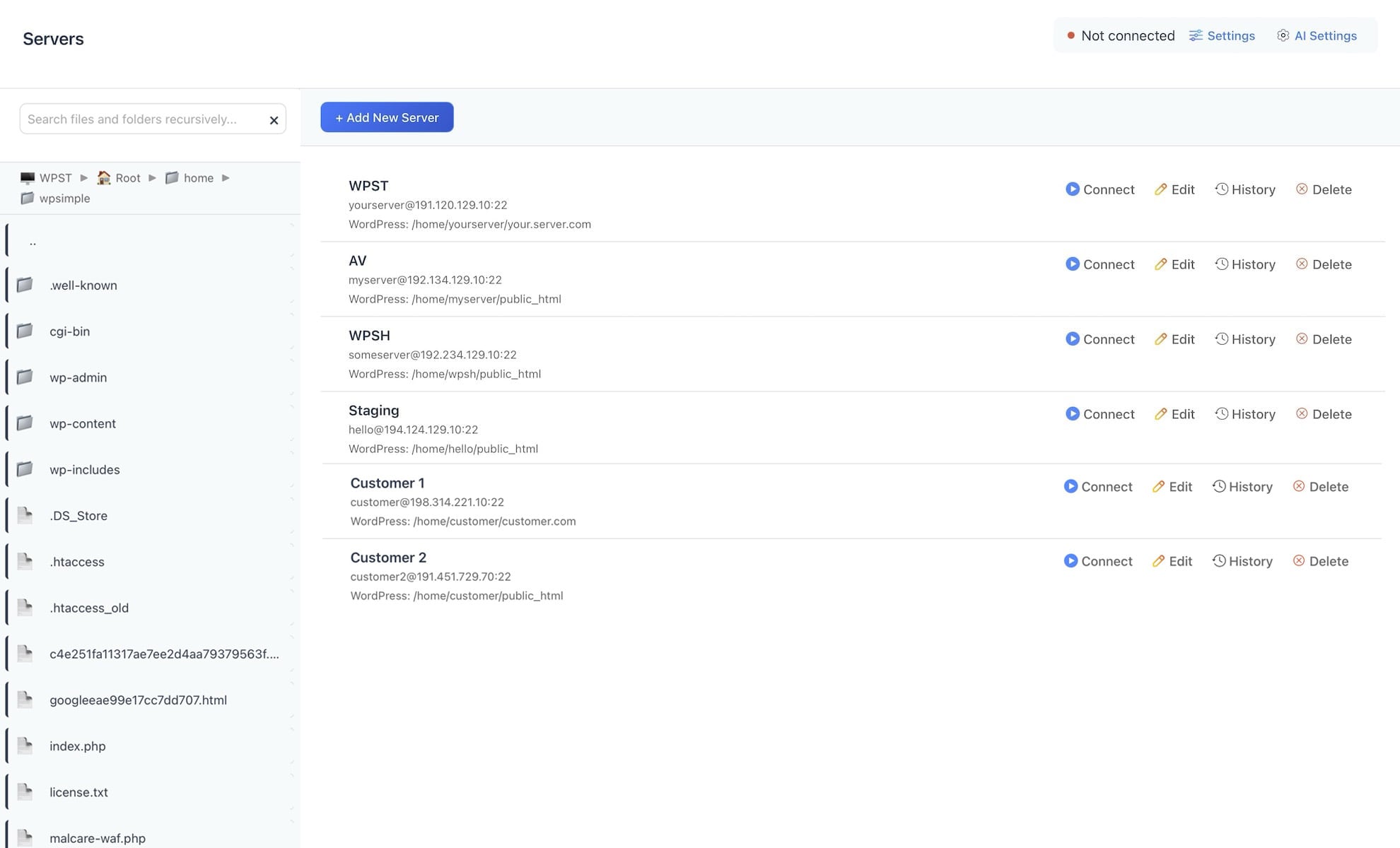
Manage Unlimited Servers
Switch between staging, production, and development environments with single clicks.
Unlimited server connections
SSH key and password authentication
Connection history
File extraction and compression
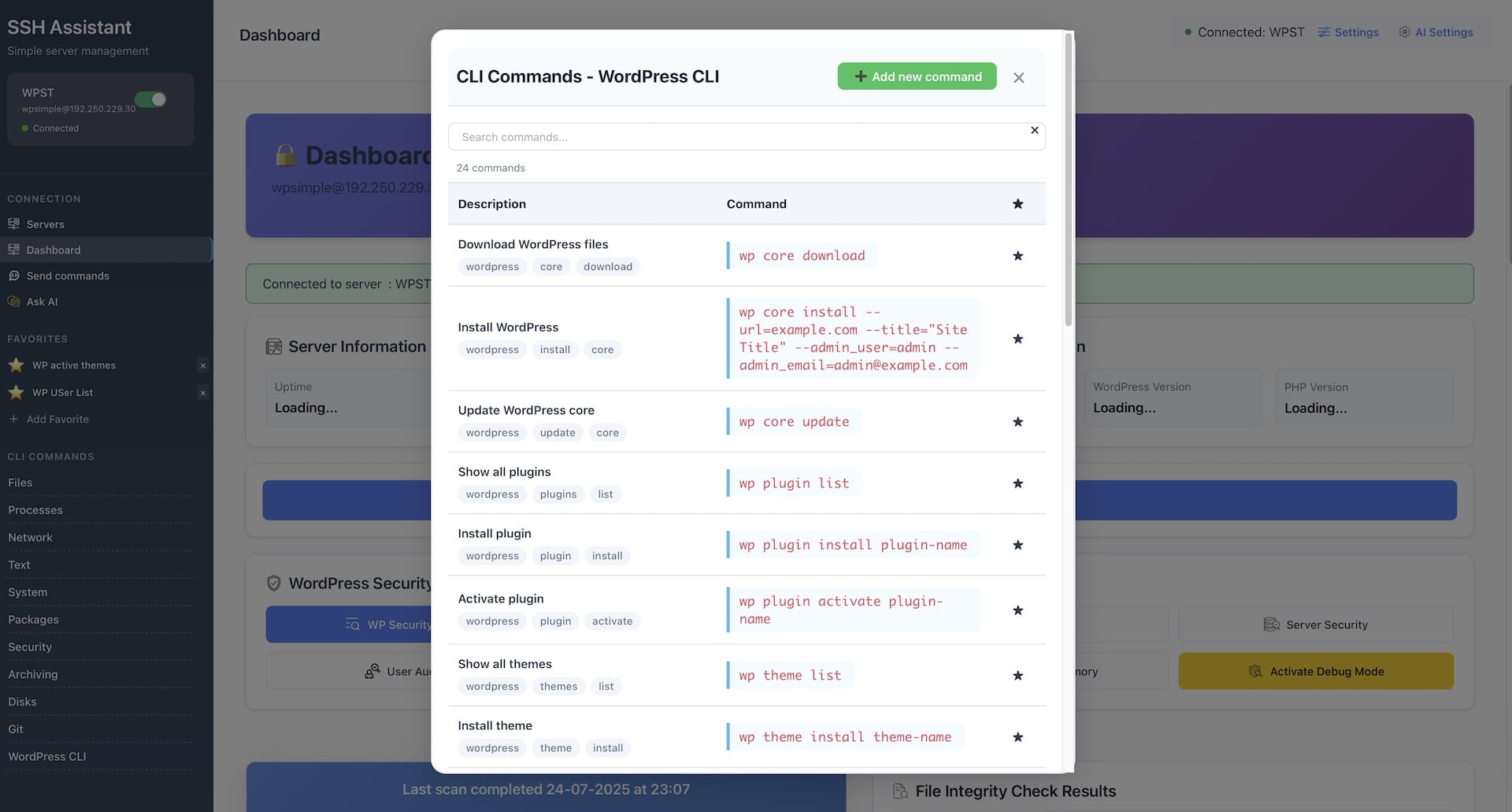
200+ Pre-Built Command Library
Skip the typing – access hundreds of tested SSH commands organized by category. Click any command to instantly insert it into your command box, from basic file operations to advanced system administration.
One-click insertion – No copy/paste needed, commands auto-fill your chat box
Categorized & searchable – Find exactly what you need in seconds
Battle-tested commands – All commands verified safe for production use
Custom command saving – Add your own frequently-used commands to the library
Complete server management solution
Stop switching between multiple terminal windows. SSH Assistant gives you visual control over all your servers in one intuitive interface.
24.99€
17.99€
Launch price available until September 15, 2025 One-time purchase.
Instant download • Works on macOS 10.13 (High Sierra) and newer • Runs on both Intel and Apple Silicon Macs.
AI-Powered Command Assistant
WordPress Vulnerability Scanner
File Change Detection & Monitoring
User Security Audit Tools
Visual File Management
Complete WordPress Tools
Database Security Analysis
Server Security Checker
Debug Mode Management
200+ Pre-Built Command Library
Unlimited server connections
“I don’t have an in-house web developer, so all the website work is up to me. Also, I don’t know how to use the terminal, but I need to manage my server by myself. SSH Assistant saves me a lot of time since I no longer have to Google every command or detail about my server. The visual file browser makes handling client WordPress sites so much easier, and even as a beginner, I find the app really easy to use. The AI chat is also super helpful whenever I get stuck or have questions. I can’t imagine going back to the old way.”
Sarah JohnsonTopfivehometech.com
“Great tool for WordPress work. The command suggestions are really helpful, and I can finally browse server files without struggling with terminal commands.”
Meera Gupta WordPress developer
“The AI assistant is brilliant. It explains every command and helps me avoid mistakes. Perfect for developers and beginners who want terminal power without the learning curve. Security scanning caught vulnerabilities we had missed before. The WordPress integration alone justifies the price. Highly recommended for freelancers.”
Liina Tuttarliinatuttar.com
“Finally, a server tool that doesn’t make me feel like I need a PhD in Linux. SSH Assistant saved me hours and spared me countless headaches in just the first week.“
Carlos MendozaWordPress enthusiast
Frequently Asked Questions
App-related FAQ
Is SSH Assistant secure for production servers?
Yes. SSH Assistant uses the same security protocols as professional terminal applications. All credentials are encrypted and stored locally on your Mac – never transmitted to our servers.
How does the AI assistant work?
When you submit a file for AI analysis, the assistant reviews your server’s context and translates your natural language requests into accurate SSH commands tailored for your environment. It explains what each command does, warns about potentially dangerous operations, and suggests best practices.
Which AI providers and models does SSH Assistant support?
SSH Assistant integrates with OpenRouter and Gemini’s APIs, giving you access to multiple AI models for command assistance. Both offer free models as well as paid options.
You can switch between providers and models based on your preferences – some users prefer Gemini for speed, while others choose Claude for detailed explanations. Some users prefer free models, while others find paid models more accurate.
Simply add your API key (you need to have an account with OpenRouter or Gemini) in settings to get started.
Do I need technical knowledge to use the security features?
Some knowledge is needed. SSH Assistant is designed for both beginners and experts. The security scanner provides clear explanations of each issue it finds.
Does the vulnerability scanner operate in automatic scan mode?
No. The app is integrated with the WpVulnerability.com API and utilizes their vulnerability database. Each time you manually trigger a site scan, the scanner checks your site for any known vulnerabilities.
Can I connect to multiple servers at the same time?
No. Although SSH Assistant lets you add unlimited server connections, you can only connect to one server at a time. Each connection keeps its own session, file browser, and command history, so you won’t lose your place when switching between environments.
Does the visual file browser work with large directories?
Absolutely. Our file browser is optimized for performance and can handle directories with thousands of files. Features like smart pagination, instant search, and folder tree navigation ensure smooth browsing even on servers with massive file structures.
Does SSH Assistant work with SSH keys and different authentication methods?
Yes, we support all standard SSH authentication methods, including password login, SSH private keys (RSA, DSA, ECDSA, Ed25519), and SSH key passphrases.
What file types can I edit directly in the app?
The app supports editing any text-based file through external editors. The editing process works as follows: – Select file and then select “Edit file” from the context menu or right-click and select “Edit file” The app will: – Download the file to a temporary local directory – Open it in your system’s default editor (VS Code, Atom, Sublime Text etc.) – Automatically sync changes back to the server whenever you save
What should I do if the app isn’t working because of server limitations?
We do not guarantee compatibility with every server configuration. Please note that some hosting providers may restrict SSH access or limit certain commands. Performance can vary depending on network conditions and the resources available on your server. We are not responsible for any limitations or restrictions imposed by your hosting provider.
License and Payment FAQ
Is this a one-time purchase or a subscription?
SSH Assistant is a one-time purchase with no recurring fees or subscriptions. Pay once and use the app forever, including all future updates and new features. No monthly charges, no hidden costs, no vendor lock-in.
Can I install SSH Assistant on multiple computers?
Yes! Your license allows installation on unlimited computers that you own and use.
How do I download the app after purchase?
During checkout, you’ll create an account with your email address. Immediately after payment, you’ll receive a download link via email. You can also log into your account dashboard anytime to download the app file. Keep your account credentials safe for future access.
How do I get updates and new versions?
All updates are free and delivered through your account dashboard. Simply log in with the same credentials you used during purchase to download the latest version.
What happens if I lose my download link or forget my account details?
No problem! Contact our support team with your purchase email address, and we’ll help you recover your account access. We maintain purchase records, so you’ll never lose access to your SSH Assistant license or future updates.
Do you offer refunds for digital purchases?
Due to the digital nature of SSH Assistant and our streamlined distribution system without copy protection, we cannot offer refunds once the download link is provided. However, we encourage you to check the system requirements and watch our demo videos before purchasing to ensure the app meets your needs.
Is there a business or team license available?
Currently, SSH Assistant is licensed per individual user. Each team member needs their license, but remember that each license allows installation on unlimited computers for that person. We’re considering volume discounts for larger teams – contact us for pricing on 5+ licenses.
What payment methods do you accept?
We accept all major credit cards (Visa, MasterCard, American Express), PayPal, and Apple Pay. All transactions are processed securely through encrypted payment gateways. You’ll receive an email receipt immediately after purchase.