Stress-test your infrastructure without the complexity
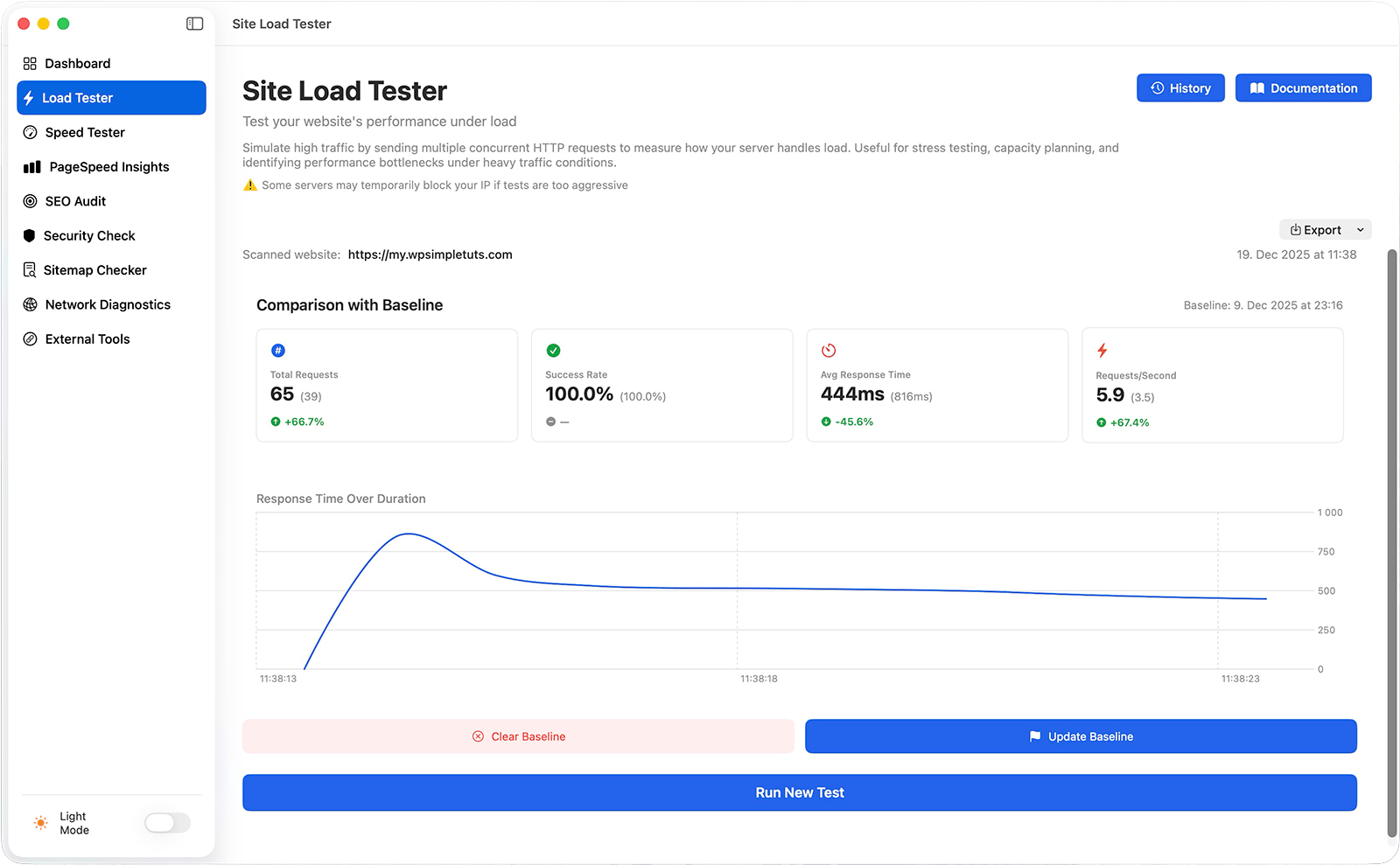
See exactly how your website handles real traffic. Configure concurrent connections, test duration, and pipelined requests—then watch real-time stats as your site gets hammered.
Set up tests in seconds with four pre-built presets (Light, Moderate, Heavy, Stress)
Monitor live progress: requests sent, success/failure rates, response times
Visualize response times with live performance charts
Save custom test presets for quick reuse
Add custom HTTP headers for authentication or advanced testing
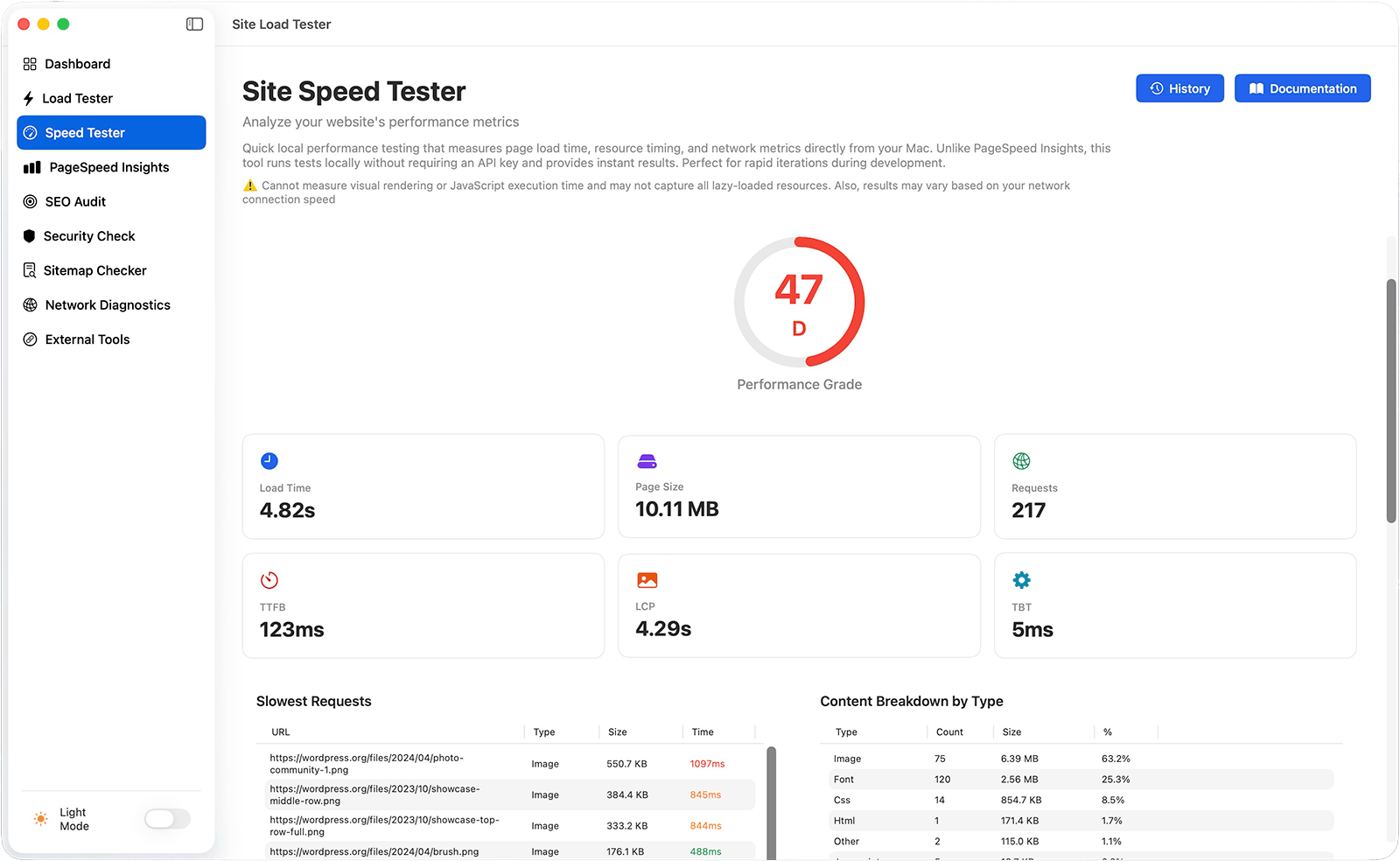
Run a 5-second performance snapshot to identify speed bottlenecks before they become problems. Get actionable recommendations instead of generic advice.
Official Google Lighthouse testing, built into your Mac
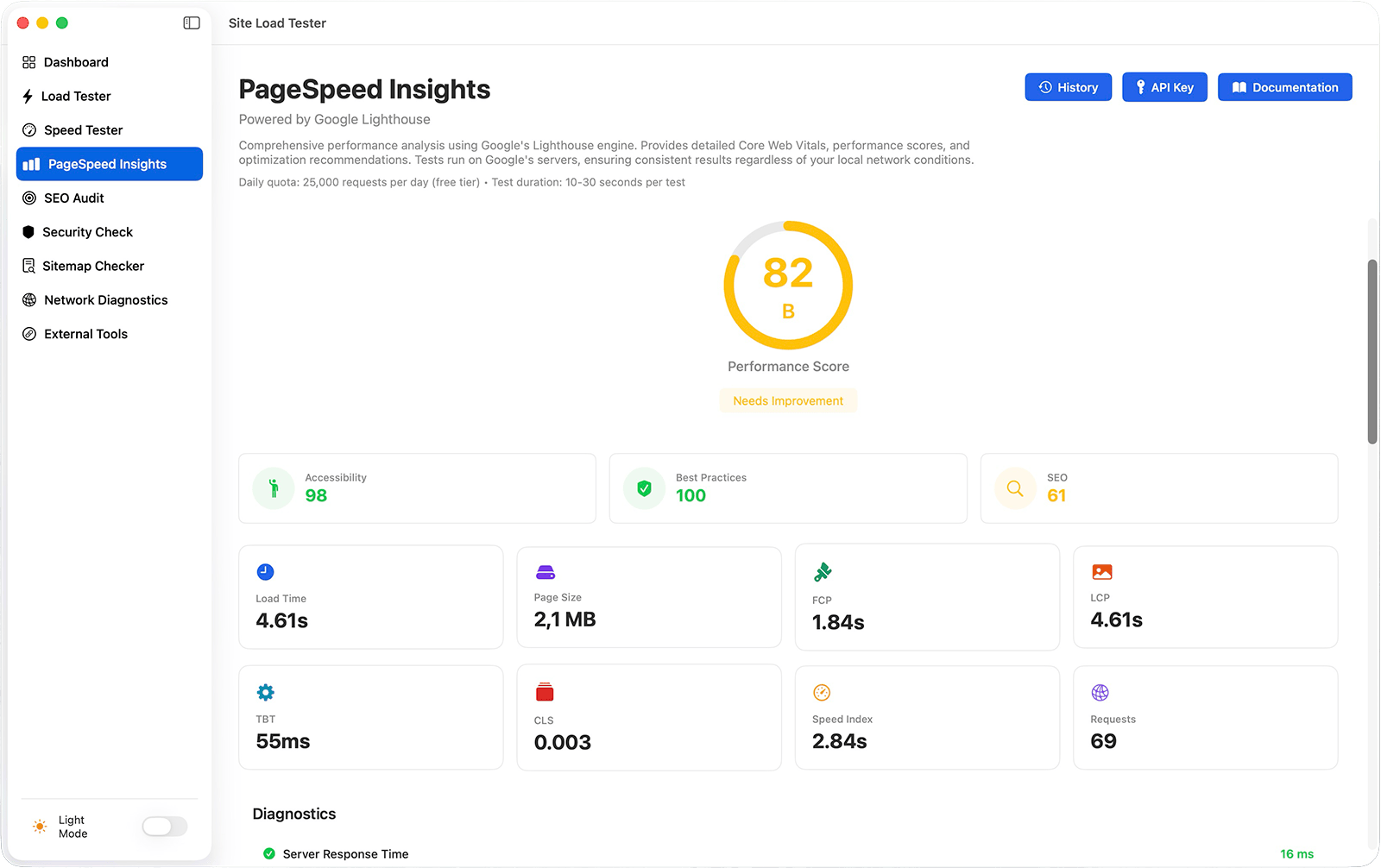
Get the same tests Google uses to rank your site. Test both mobile and desktop, see Core Web Vitals, and get real user metrics when available.
Official Google PageSpeed Insights integration
Mobile and desktop testing strategies
Core Web Vitals and Lighthouse scores
Prioritized optimization opportunities
Free Google API key (you just need to set it up once)
Export results as a PDF, CSV, or JSON file.
Perfect for: SEO preparation, performance benchmarking, compliance with Google standards.
SEO Audit
Find SEO issues before they hurt your rankings
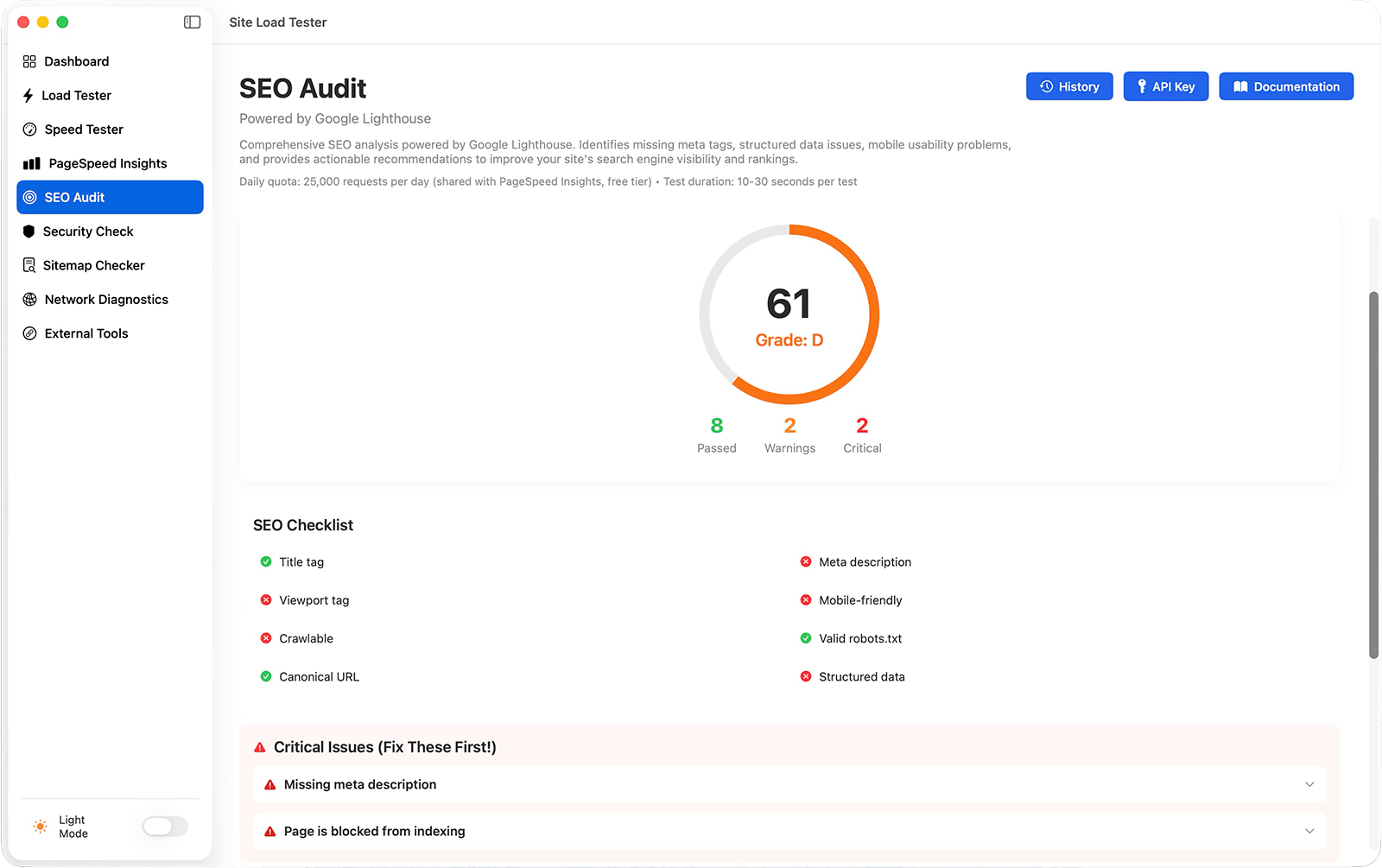
Powered by Google Lighthouse, this audit checks meta tags, structured data, accessibility, mobile-friendliness, and more.
Comprehensive SEO score with detailed grading
Missing meta tags and structured data detection
Heading structure and content analysis
Image optimization review
Mobile usability checks
Accessibility issues that affect rankings
Clear recommendations for each issue
Export results as a PDF, CSV, or JSON file.
Perfect for: Pre-launch SEO checks, content optimization, technical SEO audits.
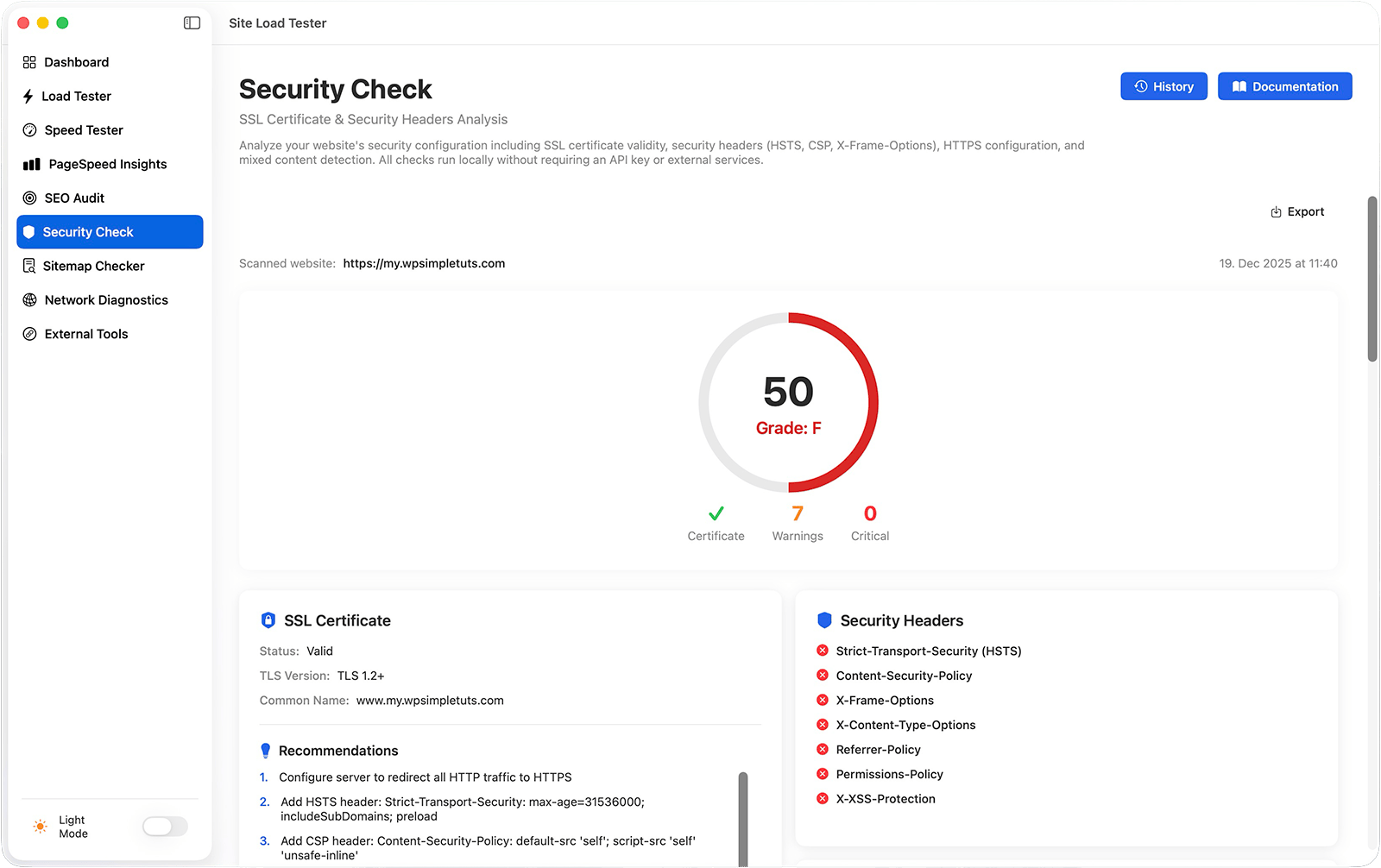
Security Checker
Audit your SSL and headers without leaving your Mac
Check certificate validity, HTTPS configuration, security headers, and mixed content issues. Everything runs locally—no external API calls, no API keys required.
SSL certificate validity analysis
Security header audit: HSTS, CSP, X-Frame-Options, and more
HTTPS verification and redirect testing
Mixed content detection (HTTP resources on HTTPS pages)
Automatic security score (0-100) and grade (A-F)
Export results as a PDF, CSV, or JSON file.
Perfect for: Before going live, after SSL renewal, compliance verification, security audits.
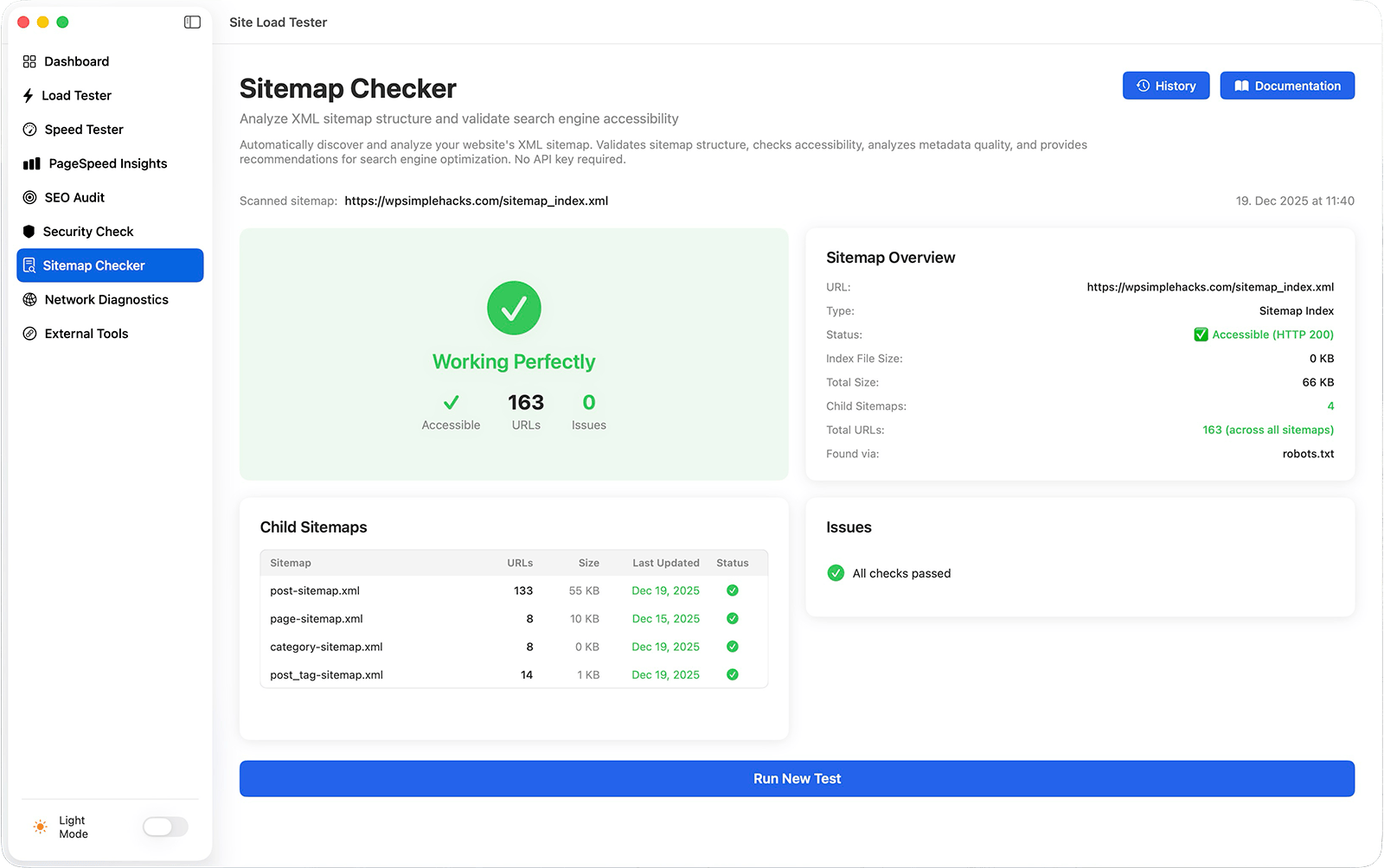
Sitemap Checker
Make sure search engines can find all your content
Your sitemap is how search engines discover and index your pages. Sitemap Checker validates that it’s set up correctly, accessible, and following best practices—so nothing gets missed.
Automatically discovers your sitemap from robots.txt or standard locations (no manual URL entry needed)
Validates XML structure and verifies accessibility so search engines can actually read your sitemap
Counts all URLs across your entire sitemap, including child sitemaps for large sites
Detects critical issues like 404 errors, invalid XML, missing content, and freshness problems
Provides clear, actionable recommendations for each issue instead of confusing error codes
Perfect for: Site owners, developers, and agencies verifying sitemap setup, structure, and discoverability before and after launch.
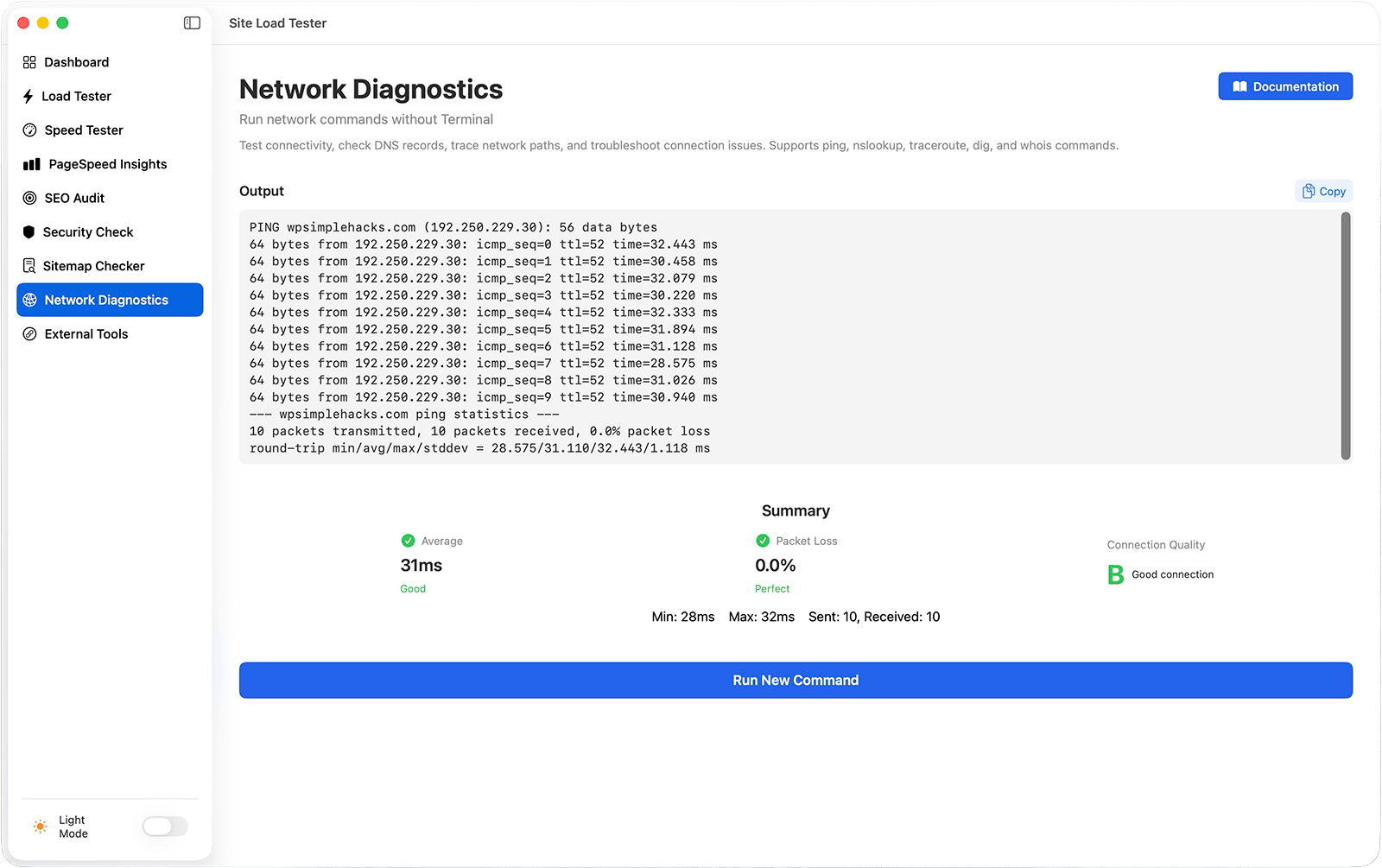
Network Diagnostics
Diagnose connection issues without the Terminal
Network Diagnostics lets you run professional network commands right from your Mac without ever touching the Terminal. See real-time results, get instant quality ratings, and fix connectivity issues fast.
Run ping, nslookup, traceroute, dig, and whois commands without opening Terminal
Watch command output stream in real-time as it executes, so you see results instantly
Get automatic performance ratings with color coding (green = good, red = problems) for quick diagnosis
Receive an overall connection quality grade (A-F) based on response times and packet loss
Access click-to-run examples organized by category (Basic Connectivity, DNS Lookup, Network Path, Detailed DNS, Domain Information)
Perfect for: Developers troubleshooting connectivity issues, site owners diagnosing server problems, system administrators checking network health, anyone who needs network diagnostics without memorizing Terminal commands.
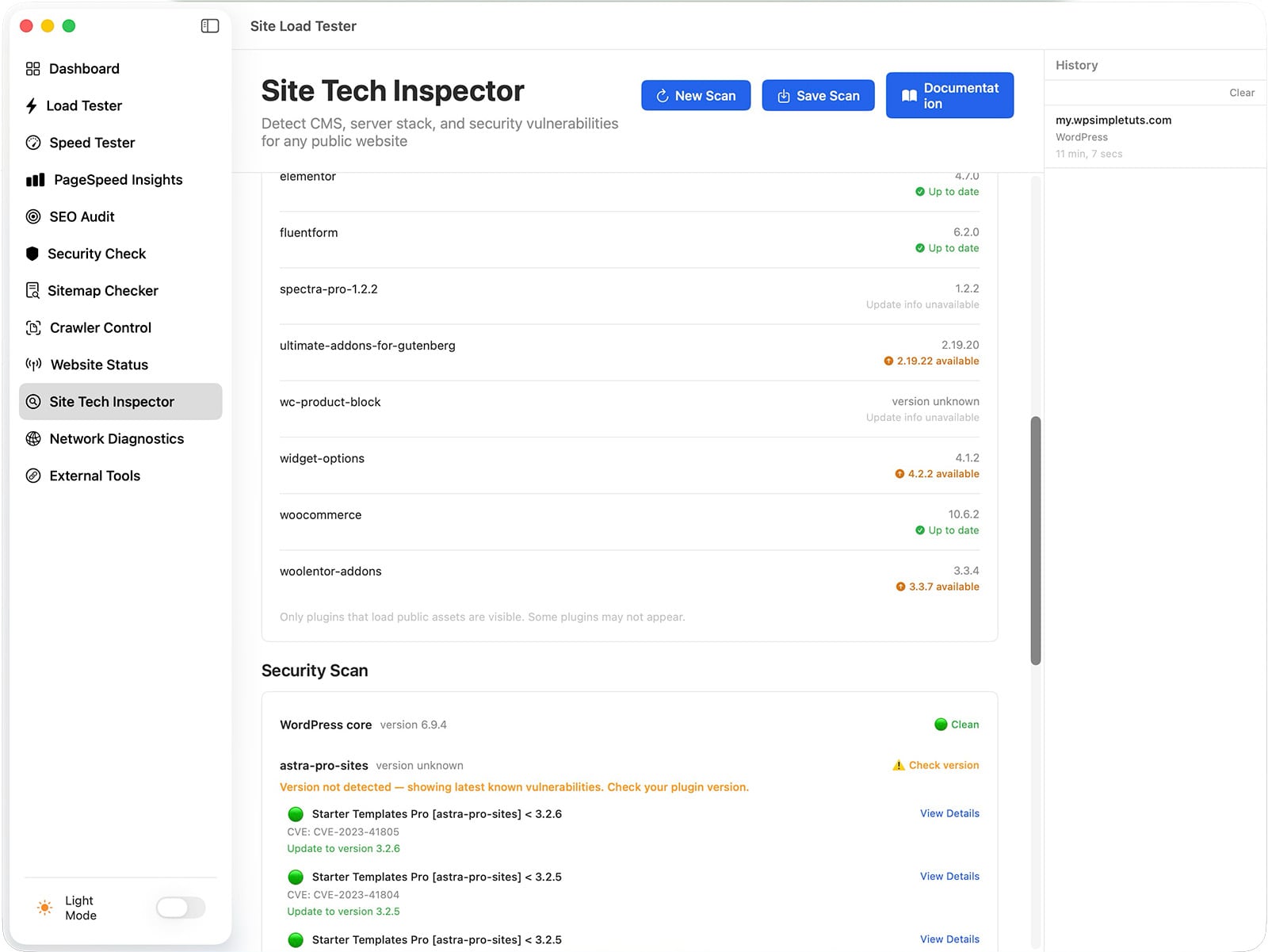
Website Tech Inspector
Know exactly what’s running on any website — and whether it’s safe.
Detects the platform automatically — WordPress, Shopify, Joomla, Magento, Drupal, Wix, and more — and shows the right data for each
Reveals the full tech stack: server software, PHP version, CDN, SSL status, JavaScript frameworks, and analytics tools *
Deep-scans WordPress sites for active theme, installed plugins, and version numbers
Cross-references detected plugins and WordPress core against the WPVulnerabilities database to surface known CVEs with severity ratings
Shows fix recommendations for every vulnerability — “Update to version X.X.X” or “No fix available yet”
Local checks always work; external checks need a free ArkForge API key (500 proofs/month).
Perfect for: Pre-sales client research, post-launch security audits, agency site reviews, WordPress maintenance checks, and anyone who needs to know what a site is built on before touching it.
* Site Tech Inspector reads only what a website makes publicly visible — the same information any browser sees when loading a page. It does not have access to server files, databases, or admin panels.
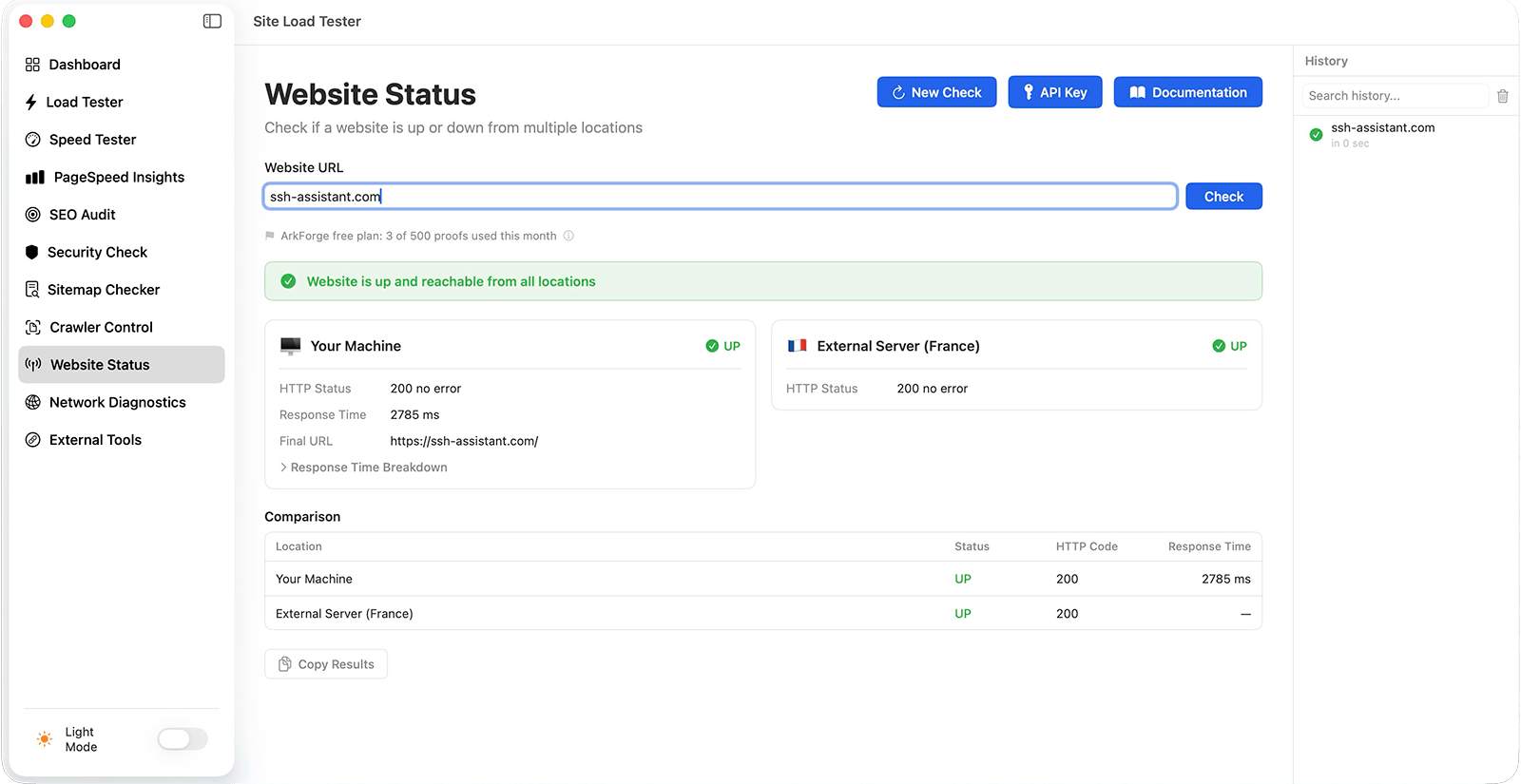
Website Status Checker
Know in seconds if your site is down or just unreachable from your location.
Dual‑location checks (Local + France) — runs both in parallel to distinguish global outages from local network, IP, or WAF issues.
Strict UP/DOWN verdicts with HTTP codes — only 200 OK counts as UP, keeping results clear and unambiguous.
Local performance breakdown — DNS, TCP connect, TLS handshake, TTFB, and total load time
Soft‑error detection on “fake 200” pages — identifies cases where the server returns 200 but shows typical error content.
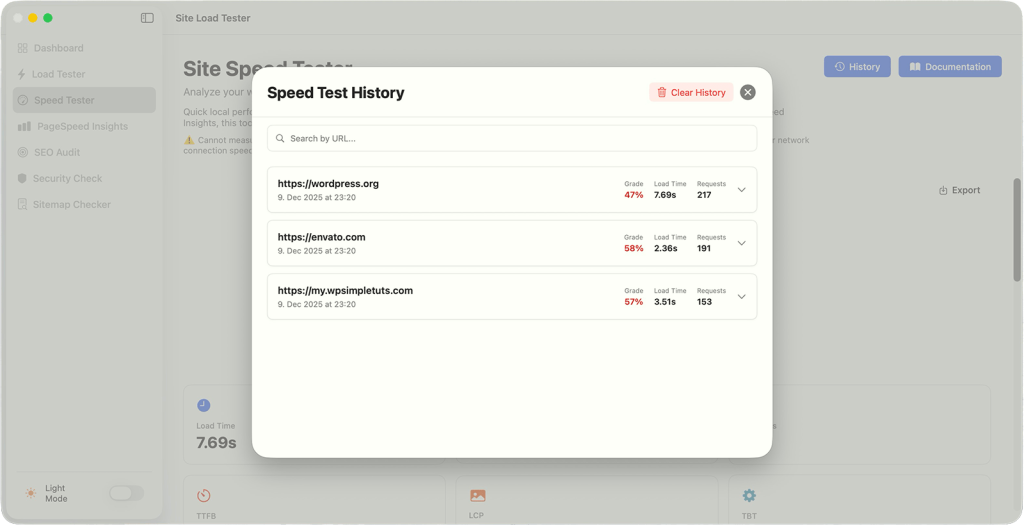
Built‑in check history with search — stores up to 50 recent checks,
Local checks always work; external checks need a free ArkForge API key (500 proofs/month).
Perfect for: Developers debugging “site down?” reports, agencies verifying client incidents, e‑commerce owners checking regional reachability, and support teams triaging outage tickets.
No Subscriptions
Buy once, use forever. No monthly fees, no credit card required after purchase.
Unlimited Computers
A lifetime license works on all your Macs. Use it on your Mac, your team’s Macs, your laptop—no extra cost.
Local & Fast
Most tools run entirely on your Mac. No waiting for cloud processing, no sending data to external servers.
Dark Mode & Light Mode
Switch between dark and light themes instantly with a single click.
All-in-One website testing
Ten professional tools in one beautiful app. Stop juggling Pingdom, GTmetrix, SSL Labs, and PageSpeed separately.
Works Offline
Load Testing, Speed Testing, and Security Checks work without cloud APIs (except PageSpeed and SEO, which need Google’s API).
Built for beginners & professionals
Presets, custom headers, baseline comparisons, export to PDF/JSON/CSV, full test history.
Complete Website Testing App for Mac
Stop paying subscription fees for multiple testing tools. Site Load Tester bundles ten professional testing suites into one beautiful app that works offline and never expires. Buy once, use forever on unlimited computers.
Instant download • Works on any Mac running macOS 13.0+ with Apple Silicon
Load Tester: Stress-test your infrastructure without the complexity
Set up tests in seconds with four pre-built presets
Monitor live progress: requests sent, success/failure rates, response times
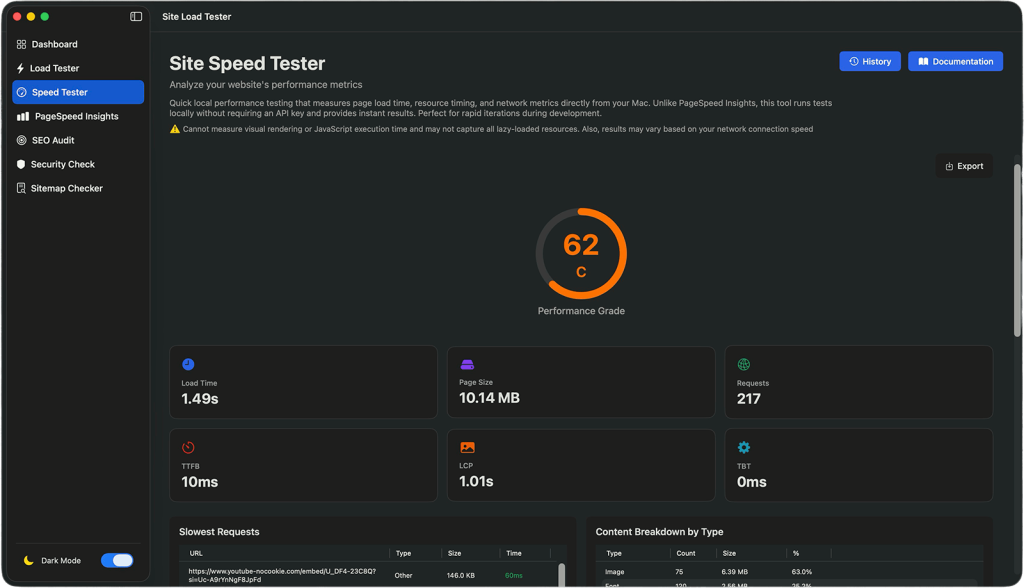
Speed Tester: Get fast performance insights in seconds
Complete performance analysis in just 5 seconds
See your performance grade (A-F) instantly
Track performance over time with automatic history
Security Checker: Audit your SSL and headers without leaving your Mac
Security header audit: HSTS, CSP, X-Frame-Options, and more
PageSpeed Insights: Official Google Lighthouse testing, built into your Mac
Core Web Vitals and Lighthouse scores
Mobile and desktop testing strategies
SEO audit: Find SEO issues before they hurt your rankings
Comprehensive SEO score with detailed grading
Missing meta tags and structured data detection
Export results as a PDF, CSV, or JSON file.
Sitemap Checker: Make sure search engines can find all your content
Automatically discovers your sitemap from robots.txt or standard locations (no manual URL entry needed)
“I was using three different tools before Site Load Tester and spending too much time switching between them. The Load Tester alone saved me hours during my last project—I caught a server issue before launch just by running a quick test. The interface is so straightforward that I didn’t need to read any documentation. For the price, it’s honestly a no-brainer compared to paying monthly subscriptions.”
Sarah Johnson / web developer, freelanceTopfivehometech.com
“I’m not technical at all, but Site Load Tester made me feel confident about my website’s performance. The Speed Tester shows me exactly what’s slow and what I need to fix, without using fancy jargon. Best part? I bought it once and it works on my Mac and my partner’s—no extra fees. It’s one of those tools that just works.”
Meera Gupta Beginner blogger
“Running my online shop on a budget means I can’t afford expensive tools. Site Load Tester lets me monitor my website’s health like the big companies do, without breaking the bank. I use it before uploading product catalogs to make sure my site can handle the traffic. Peace of mind costs a lot less when you’re using the right tools.”
Lina LoganSmall Business Owner, E-commerce
“As someone managing infrastructure for a mid-sized platform, Site Load Tester has become essential to my pre-deployment workflow. The Load Tester’s real-time stats and baseline comparison features let me catch performance regressions instantly. The ability to export results to CSV and share them with my team makes reporting trivial. Highly recommended for anyone serious about performance.”
Carlos MendozaDevOps Engineer
Frequently Asked Questions
App-related FAQ
How to install the Site Load Tester app?
Download & Install — Copy the app to your Applications folder (it’s literally that simple) Pick Your Tool — Click the tool you need from the dashboard Configure Your Test — Enter your URL and settings (or use a preset) Get Results — View detailed stats, charts, and actionable recommendations
First Launch Security: If macOS shows a security warning when first opening (because the app isn’t code-signed): 1. Right-click the app and select “Open” (don’t double-click) 2. Click “Open” in the security dialog 3. The app will be added to your security exceptions and launch normally afterward
What are the system requirements?
System Requirements – macOS 13.0 (Ventura) or newer – Apple Silicon Mac (M1, M2, M3, or newer) – 200MB disk space – Internet connection (for most tests)
What’s the difference between Speed Tester and PageSpeed Insights?
Speed Tester runs a quick 5-second local analysis perfect for rapid iteration and ongoing monitoring. PageSpeed Insights uses Google’s official testing (same used for search rankings) and provides more comprehensive metrics. Use Speed Tester for quick checks, PageSpeed for official benchmarking.
Do I need API keys to use all the tools?
– Load Tester, Speed Tester, and Security Check work with zero setup.
– PageSpeed Insights and SEO Audit need a free Google API key (takes 2 minutes to set up and is free to use with generous quotas).
How many tests can I run?
– Unlimited locally.
– For PageSpeed/SEO tests, Google’s free tier allows 25,000 tests per day—more than enough for most users.
Can I compare test results over time?
Yes. Set any test result as a baseline, then future tests automatically compare against it. Color-coded indicators show improvements (green) and regressions (red).
How much disk space does it use?
The app itself is under 16MB. Test history uses minimal space—each test is typically a few hundred KB.
Is my data private?
Completely. All test results, presets, and settings stay on your Mac. Load Tester, Speed Tester, and Security Check don’t use any cloud services. Only PageSpeed and SEO tests (which use Google APIs) communicate externally.
License and Payment FAQ
Is there a free trial?
No, there is no free trial.
Is this a one-time purchase or a subscription?
The Site Load Tester app is a one-time purchase with no recurring fees or subscriptions. Pay once and use the app forever, including all future updates and new features. No monthly charges, no hidden costs, no vendor lock-in.
Do you offer refunds for digital purchases?
Due to the digital nature of the Site Load Tester app and our streamlined distribution system, which does not include copy protection, we cannot offer refunds once the download link is provided. However, we encourage you to check the system requirements and watch our demo videos before purchasing to ensure the app meets your needs.
Can I install Site Load Tester app on multiple computers?
Yes! Your license allows installation on unlimited computers that you own and use.
How do I download the app after purchase?
During checkout, you’ll create an account with your email address. Immediately after payment, you’ll receive a download link via email. You can also log into your account dashboard anytime to download the app file. Keep your account credentials safe for future access.
How do I get updates and new versions?
All updates are free and delivered through your account dashboard. Simply log in with the same credentials you used during purchase to download the latest version.
What happens if I lose my download link or forget my account details?
No problem! Contact our support team with your purchase email address, and we’ll help you recover your account access. We maintain purchase records, so you’ll never lose access to your app license or future updates.
Is there a business or team license available?
Currently, the Site Load Tester app is licensed per individual user. Each team member needs their license, but remember that each license allows installation on unlimited computers for that person. We’re considering volume discounts for larger teams – contact us for pricing on 5+ licenses.
What payment methods do you accept?
We accept all major credit cards (Visa, MasterCard, American Express), PayPal, and Apple Pay. All transactions are processed securely through encrypted payment gateways. You’ll receive an email receipt immediately after purchase.